
Practical reference · Verified: October 18, 2026 (UTC). Sources: [Quick Words](https://create.roblox.com/docs/chat/quick-words) and [preset system guidelines](https://create.roblox.com/docs/chat/preset-system-guidelines).
Configure your game's phrases
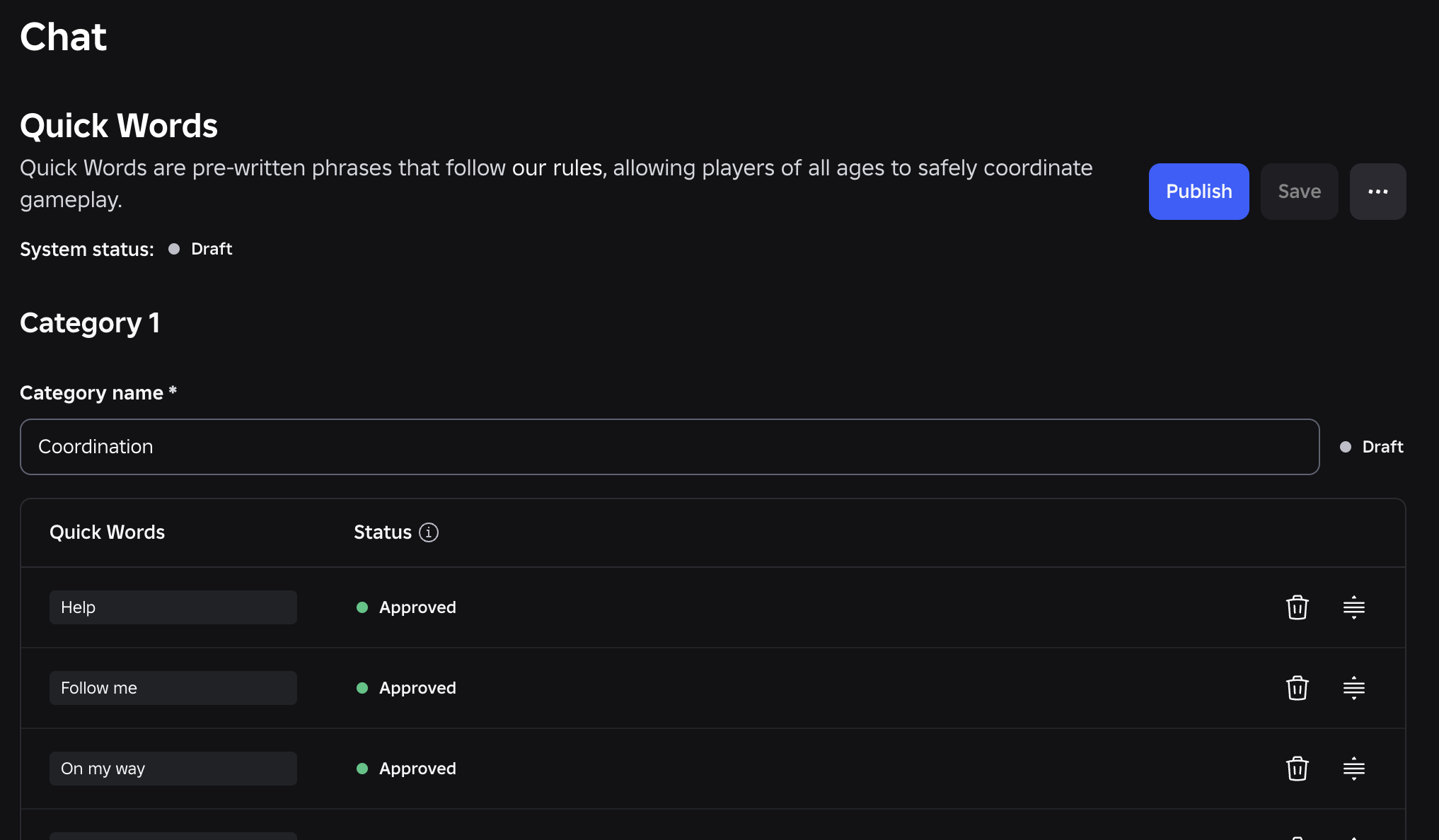
Quick Words supports coordination without building a separate preset system.
- Select your game in Creator Hub and open Configure → Chat → Quick Words.
- Add up to three categories, with 3–10 phrases each. Write them in English, under 25 characters; Roblox translates them.
- Publish to submit for review. A draft is not yet available to players.
Review, not instant publication
Pending means review; Not approved requires revision and resubmission. Published confirms availability. Custom categories replace the defaults; General remains.
Coordination is the boundary
Use messages about immediate gameplay actions. Avoid personal questions or phrases that combine to encode free-form conversation: presets cannot bypass chat protections.
Was this helpful?
Keep exploring

In-experience makeup: Roblox now lets players create and save looks
Compatible experiences can now offer face, eye, and lip makeup plus eyebrows and eyelashes, with player confirmation and moderation before the item is saved.
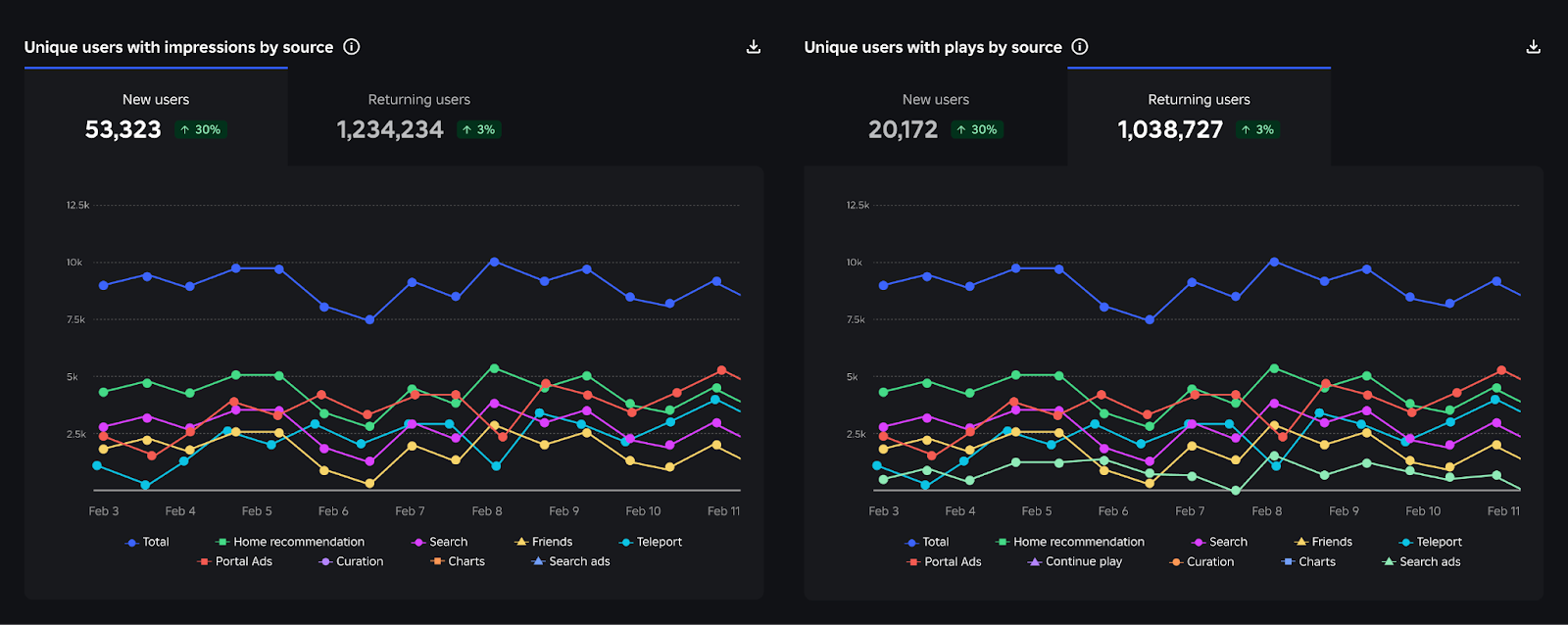
Creator Analytics changed Discovery measurement: do not compare October 12 like an ordinary day
Roblox now records Home, Search, and Charts impressions, clicks, and plays more reliably; counts may rise and PTR may fall without a real performance change.
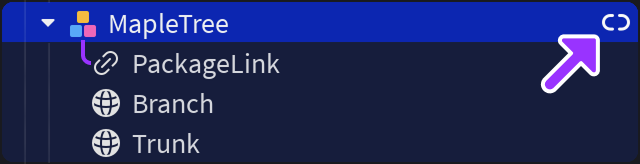
Package Overrides: edit packages without losing future updates
The Studio beta preserves local changes as overrides and reapplies them when the source package updates; everyone in Team Create should enable it.